Kirum screenshots
This is what Kirum, the budget app for iPhone, looks like. Every picture is a real screen from Kirum 1.7, taken in November 2026 with demo data: the names, amounts and stores are made up. History and the calendar already show the planned payments that come with the next update.
Home
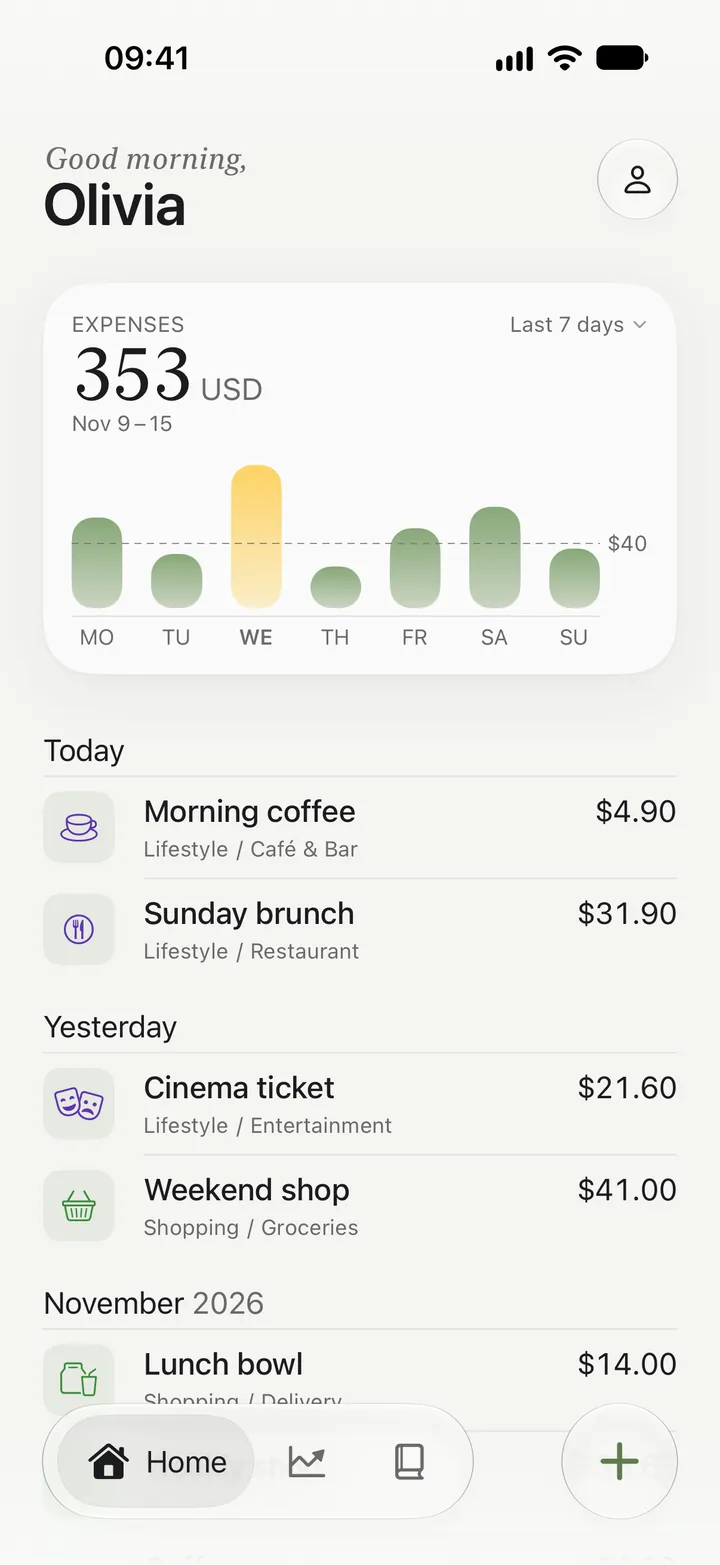
Kirum's Home screen shows what you spent in the last 7 days, with today's and yesterday's entries below. Until your next paycheck
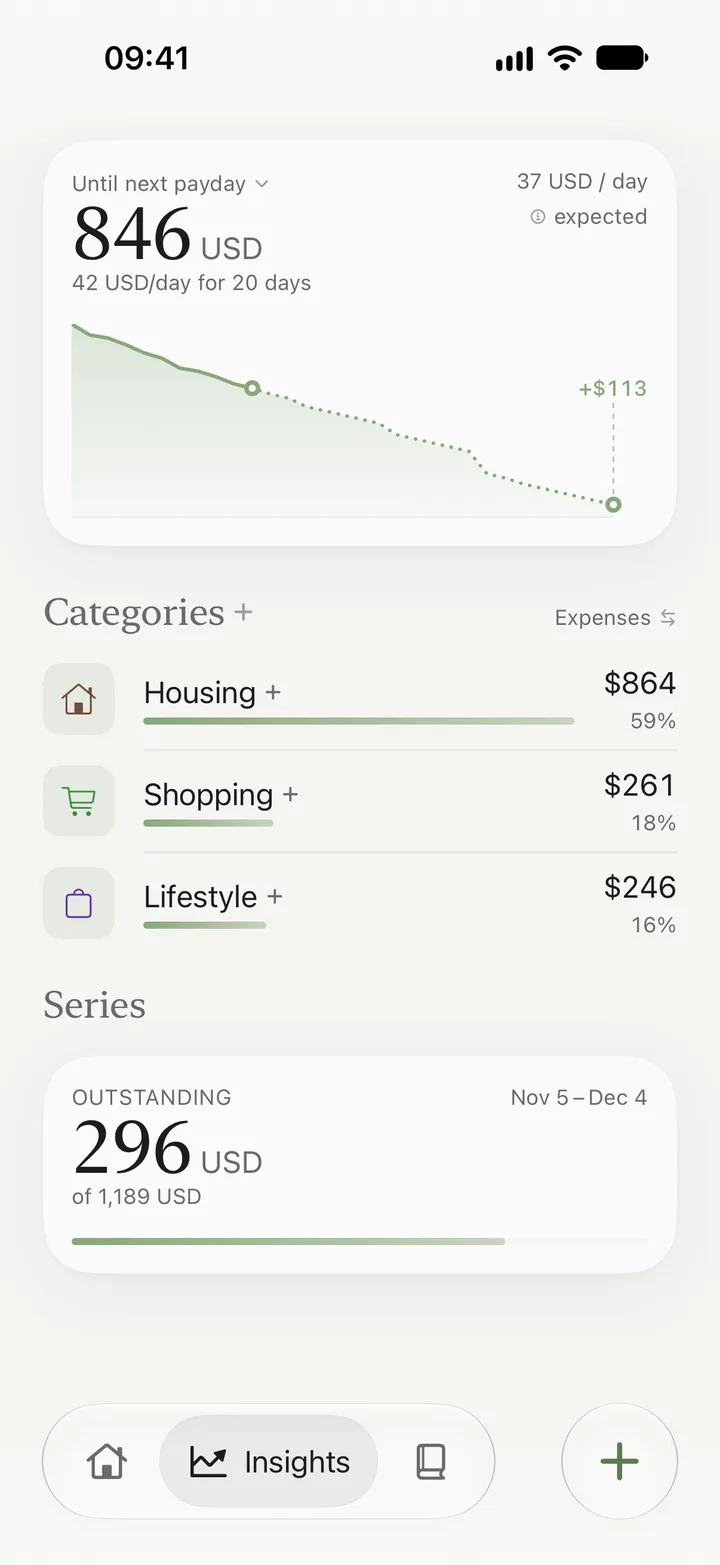
In Kirum you see how much is left until your next paycheck, in total and per day, with upcoming bills already taken out. History
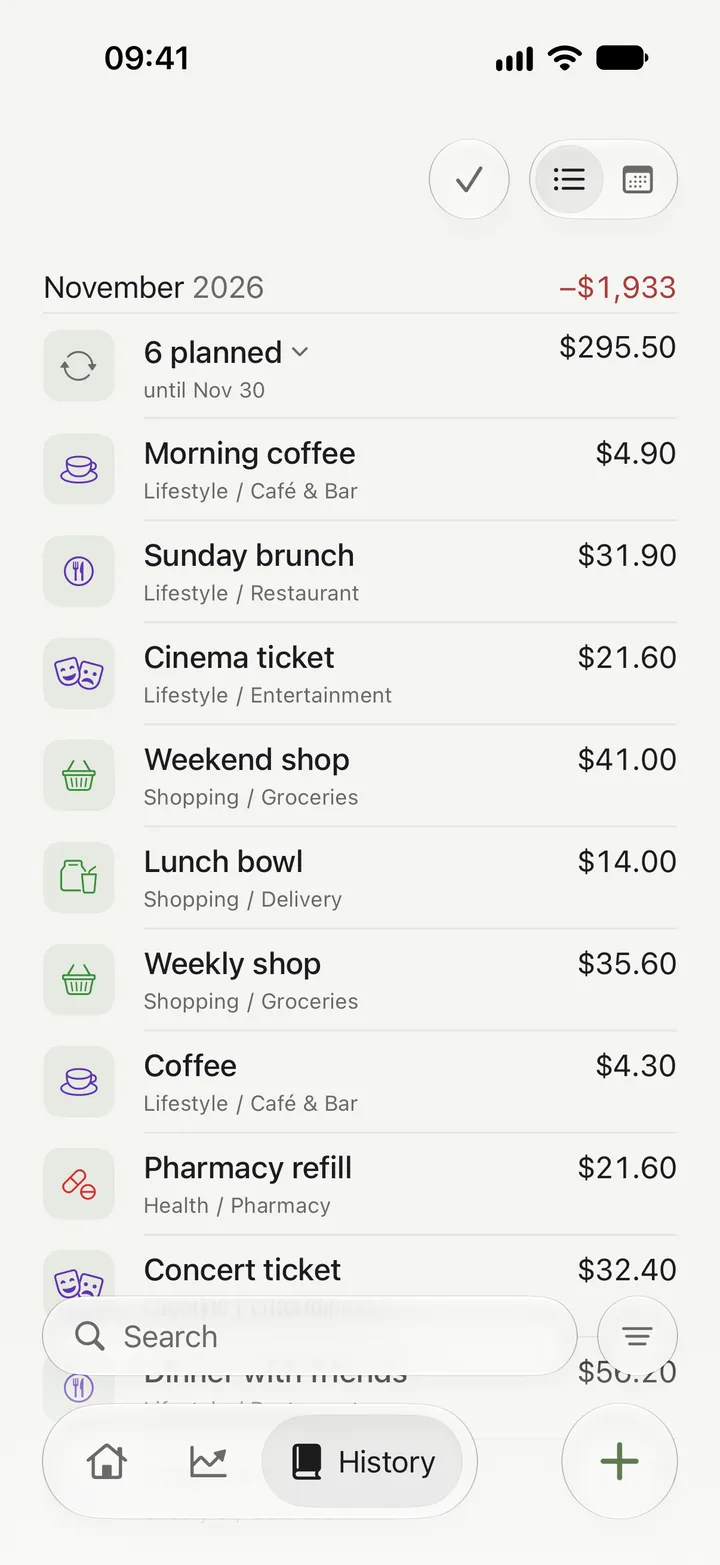
Kirum's History lists every entry of the month, with search and filters. Calendar
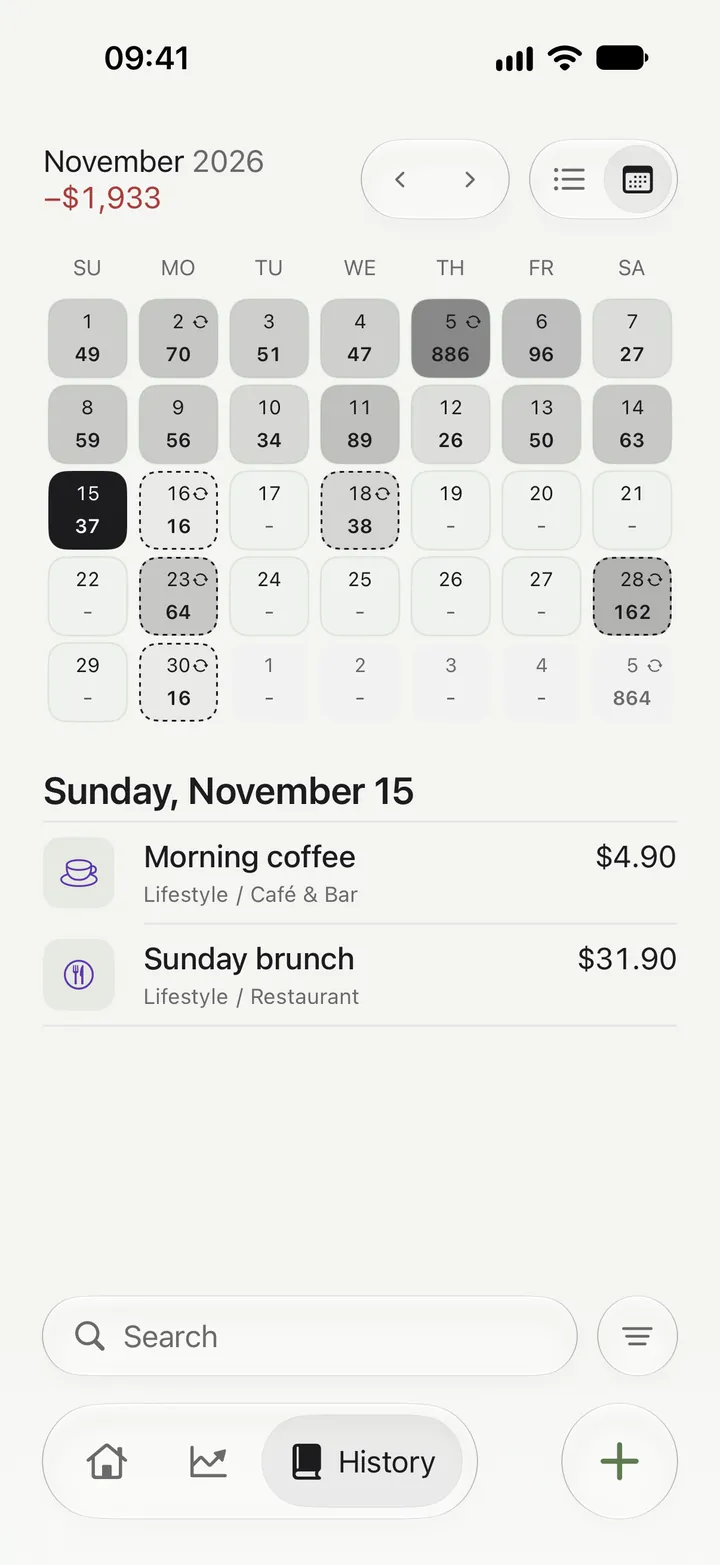
Kirum's calendar shows how much you spent on each day of the month. Bills and subscriptions
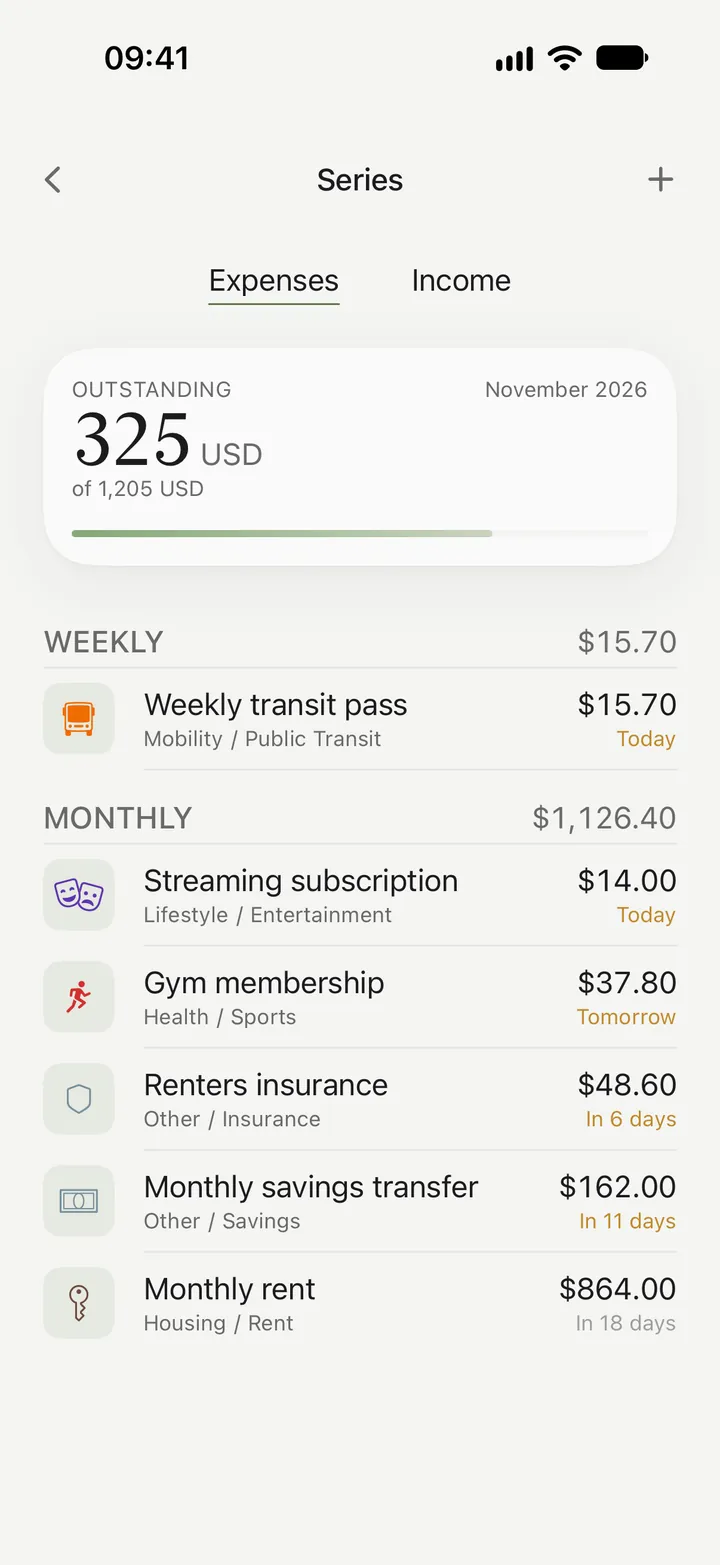
In Kirum your bills and subscriptions are series that show what's still due this month (3 series free, more with Premium). Apple Pay
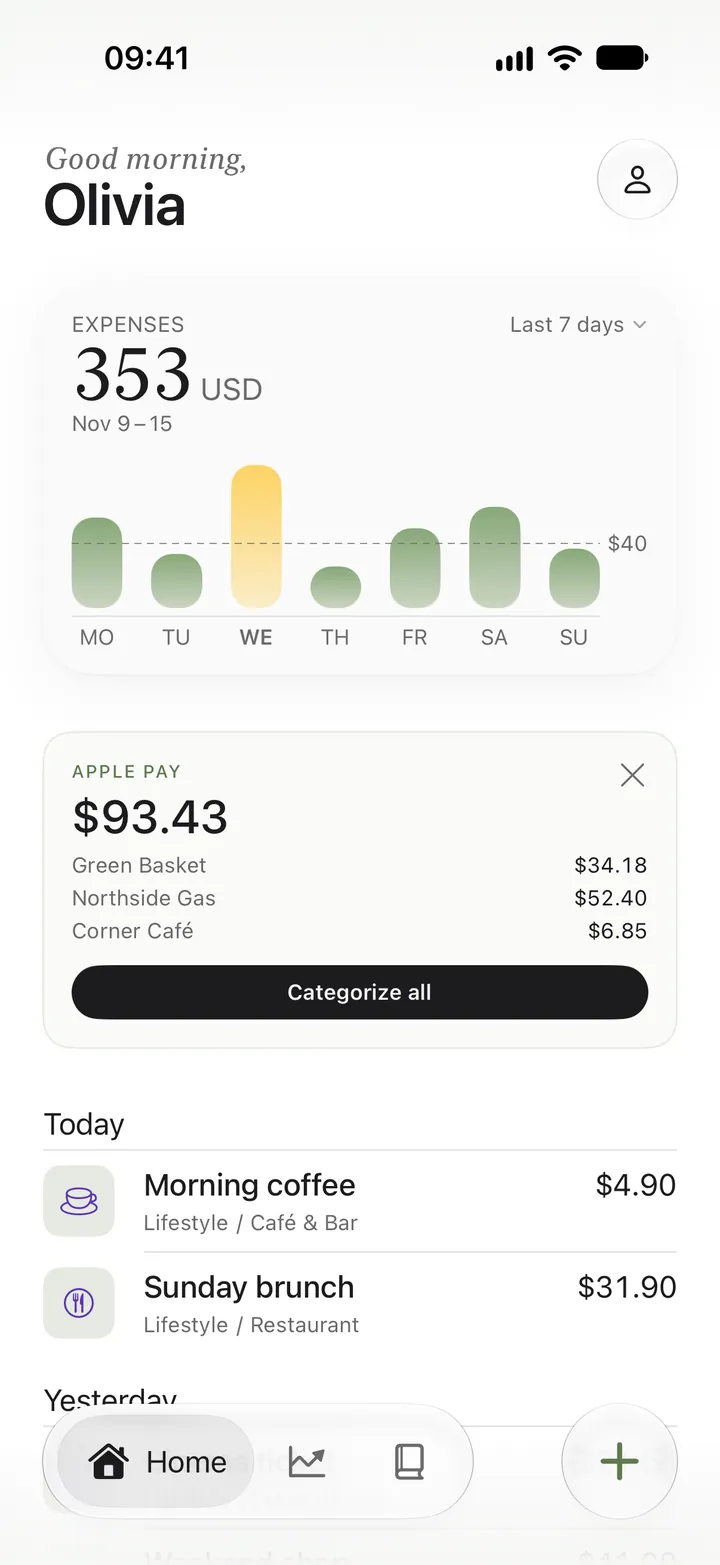
In Kirum your Apple Pay payments wait at the top of Home, with amount and store, until you categorize them.